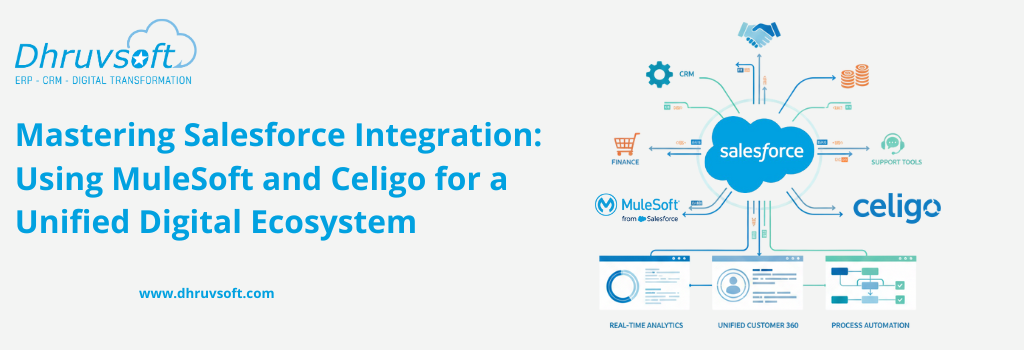
Businesses today run on digital systems. Sales teams use Salesforce to manage leads and opportunities. Finance and operations depend on ERP applications like NetSuite, SAP, or Oracle. Marketing teams use automation tools such as Pardot, HubSpot, and Marketing Cloud. HR teams rely on their own systems for employee management. Support teams work with platforms like ServiceNow or Zoho Desk.
Each of these systems performs an important function. But when they operate separately, companies face delays, manual work, and inaccurate data. The result is slow processes, limited visibility, and challenges in decision-making.
This is where Salesforce integration becomes essential. By connecting Salesforce with ERP, marketing, HR, service, and operations systems, businesses create a unified digital ecosystem that is more efficient, more accurate, and better aligned with customer and business needs.
Integration platforms like MuleSoft and Celigo help companies build these connections faster and with less complexity. In this expanded guide, we’ll explore:
- Why Integration Matters in the Modern Enterprise
- Different types of integration
- Key Salesforce integration touchpoints
- How MuleSoft and Celigo enable seamless connectivity
- Benefits and challenges of integration
- Best practices for integration success
- Dhruvsoft’s proven approach and real case study
Let’s begin by understanding why integration is a priority for modern enterprises.
Why Integration Matters in the Modern Enterprise
Most organizations operate in a technology environment with multiple applications, each designed for a specific purpose. For example:
- Salesforce manages leads, customers, opportunities, and service cases.
- ERP systems like NetSuite, SAP, and Oracle handle financials, accounting, order management, procurement, and inventory.
- Marketing platforms automate campaigns, collect leads, and analyse engagement.
- Service and support platforms track customer inquiries and tickets.
- HR applications handle employee onboarding, payroll, and workforce management.
When these systems work independently, issues arise:
1. Data duplication and inconsistency
The same customer may appear differently across systems. This leads to wrong reports, conflicting information, and extra work to fix data.
2. Manual updates across systems
Teams often copy data from one system to another. This is slow, prone to errors, and difficult to maintain as the business grows.
3. Lack of real-time visibility
Leaders cannot see sales, finance, and marketing performance in a single dashboard. Decisions become slow or inaccurate.
4. Broken workflows
A closed deal in Salesforce may not automatically create an order in ERP. A new customer created in ERP may not appear in Salesforce for days.
5. Poor customer experience
If systems are not synced, customers may receive wrong invoices, delayed updates, or repeated calls for the same issue.
Integration solves these problems by connecting all systems so that data flows automatically and processes work smoothly.
Why Salesforce Should Be at the Center of Your Integration Strategy
Salesforce is often the heart of an organization’s customer operations. It holds:
- Leads
- Contacts
- Accounts
- Sales pipeline
- Customer support history
- Quoting and pricing info
- Marketing insights
- Partner interactions
But Salesforce cannot operate effectively on its own. To enable real business efficiency, Salesforce must exchange data with:
- ERP
- Finance
- Inventory and logistics
- Marketing automation
- eCommerce
- Service management
- Data warehouses
Only then can companies achieve a 360-degree view of the customer. Integration ensures that:
- Sales knows the stock availability before making commitments
- Finance receives deal information instantly after closing
- Marketing can target customers based on purchase history
- Support agents can see invoices, shipments, and service warranties
- Leadership can track end-to-end business performance
This interconnected ecosystem is the backbone of modern digital transformation.
Types of Salesforce Integration
Integrations are not all the same. They vary based on speed, complexity, and the type of data involved. Typically, Salesforce integration falls into three main types:
1. Real-Time Integration
Real-time integration transfers data instantly between Salesforce and other systems.
Used for:
- Validating customer data during entry
- Fetching real-time inventory
- Syncing order updates
- Displaying live pricing from ERP
Benefits:
- Instant responses
- Accurate and consistent data
- Better user experience
Technologies often used: REST APIs, SOAP APIs, web services, HTTP call-outs, MuleSoft real-time flows.
2. Batch Integration
Batch integrations process large volumes of data at specific intervals — hourly, daily, or weekly.
Used for:
- Syncing financial data
- Importing large datasets
- Historical data migration
- Updating prices or product catalogues
Benefits:
- Efficient for bulk operations
- Lower cost and system load
- Simple mapping logic
Tools often used: ETL tools, scheduled Celigo flows, MuleSoft batch processors.
Event-Driven Integration
Event-based integrations trigger workflows automatically when a specific action occurs.
Examples:
- When a lead is created → sync to marketing automation
- When a quote is approved → create order in ERP
- When payment is completed → update Salesforce invoice status
Benefits:
- Lightweight
- Fast response
- Ideal for modern cloud apps
Technologies: Salesforce Platform Events, Streaming API, webhooks, Celigo event triggers, MuleSoft event processors.
The Importance of Connecting Salesforce with Enterprise Systems
Salesforce acts as the system of record for customer relationships. It houses lead data, opportunity pipelines, account information, and service history. However, businesses don’t run on CRM alone — they rely on financial data, inventory levels, supply chains, and marketing metrics stored in other enterprise systems.
Integration bridges these silos by connecting sales, marketing, and finance teams within a unified digital ecosystem.
Key advantages of a connected Salesforce ecosystem include:
- End-to-End Customer Visibility: Teams can access complete customer histories — from marketing touchpoints to purchase orders and invoices — all in one place.
- Reduced Manual Work: Automated data synchronisation eliminates repetitive manual updates.
- Real-Time Reporting and Collaboration: Decision-makers gain access to live dashboards that combine data across multiple systems.
A well-integrated Salesforce environment transforms fragmented operations into a cohesive, data-driven enterprise.
Key Integration Touchpoints
Salesforce + ERP (NetSuite, SAP, Oracle)
Integrating Salesforce with ERP systems enables automation of quote-to-cash processes, order management, and invoicing. When a sales representative closes a deal in Salesforce, the details automatically flow into the ERP system for order fulfilment and billing.
For example, integration with NetSuite ERP allows:
- Automatic transfer of sales orders and customer details.
- Real-time updates on inventory availability and shipping.
- Synchronization of financial data such as invoices and payments.
This creates transparency between sales and finance teams, reduces errors, and accelerates the revenue cycle.
Salesforce + Marketing Automation (Marketing Cloud, Pardot, HubSpot)
Marketing automation tools generate and nurture leads through campaigns, forms, and emails. Integrating them with Salesforce ensures every lead captured by marketing automatically appears in Salesforce as a potential opportunity.
Benefits include:
- Consistent lead data shared between marketing and sales.
- Real-time campaign ROI tracking based on actual conversions.
- Personalized engagement through behavior-based automation.
With this setup, marketing and sales teams align perfectly — ensuring no lead is lost and every interaction is tracked.
Salesforce + Other Enterprise Systems
Salesforce also integrates with other business-critical platforms such as:
- ServiceNow: For managing IT service tickets linked to customer accounts.
- Workday: For syncing employee and HR-related workflows.
- eCommerce Platforms: To align customer purchase data with CRM records.
These integrations create centralised data visibility and enable unified reporting, empowering every department with accurate insights.
Integration Platforms: MuleSoft and Celigo
Connecting Salesforce with enterprise systems requires robust integration tools. Two leading solutions that simplify this process are MuleSoft and Celigo.
MuleSoft – The Enterprise Integration Powerhouse
MuleSoft, a Salesforce-owned platform, is built for large enterprises managing complex integrations. It provides API-led connectivity, allowing secure, scalable, and flexible data exchange between Salesforce and other applications — whether on-premise or in the cloud.
Key features:
- Connects multiple enterprise systems (ERP, HRMS, data warehouses, and more).
- Offers pre-built APIs and connectors for Salesforce, SAP, Oracle, and ServiceNow.
- Ensures secure data flow with enterprise-grade encryption and governance.
Best suited for: Large organizations requiring deep integration across several systems with strong scalability and control.
Celigo – The Agile Mid-Market Integration Platform
Celigo is a cloud-based Integration Platform as a Service (iPaaS) solution, ideal for mid-sized companies. It offers pre-built connectors and low-code templates, making integration faster and more cost-effective.
Key features:
- Native Salesforce–NetSuite connectors for bidirectional data flow.
- Easy setup with minimal coding.
- Built-in monitoring and automation tools for ongoing maintenance.
Best suited for: Mid-sized enterprises seeking quick deployment and efficient integration between Salesforce and ERP systems like NetSuite.
Celigo v/s MuleSoft
| Feature | MuleSoft (Anypoint Platform) | Celigo (Integrator.io) |
|---|---|---|
| Market Segment | Large Enterprise / Complex | Mid-Market / Rapid Growth |
| Complexity | High (Highly Customizable) | Moderate (Template-driven) |
| Setup Speed | Longer (Architecture-heavy) | Fast (Pre-built connectors) |
| Best For | Many-to-many integrations | Salesforce-to-NetSuite / ERP |
Benefits of Integrating Salesforce with Enterprise Systems
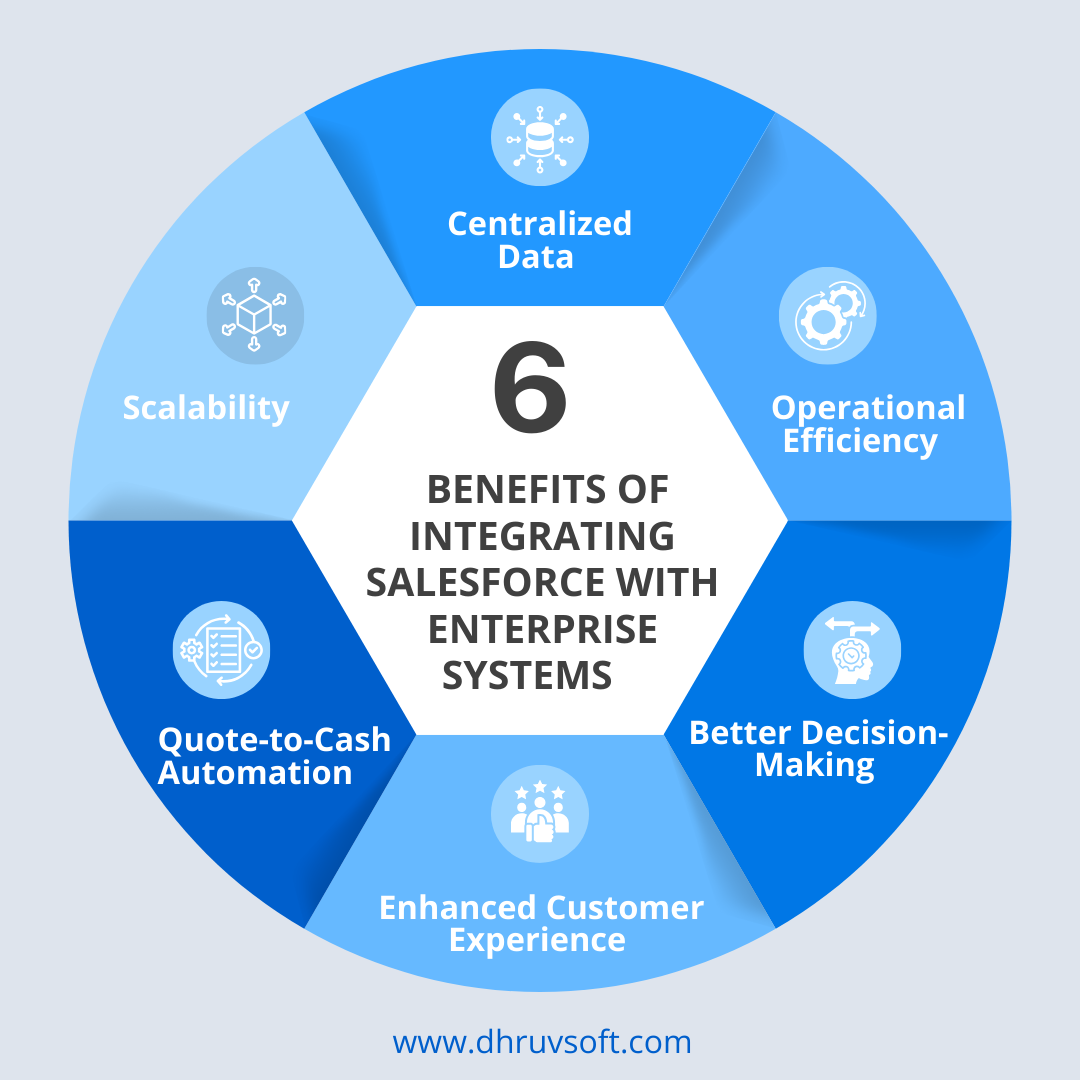
- Centralized Data: Integration provides a single source of truth for all customer, sales, and financial information. This eliminates data duplication and ensures consistency across systems.
- Operational Efficiency: Automating manual processes like order entry, quote generation, and invoicing reduces administrative workloads and speeds up service delivery.
- Better Decision-Making: Integration brings together data from multiple departments, allowing leaders to view performance metrics in real-time dashboards — improving forecasting and planning accuracy.
- Enhanced Customer Experience: With unified data, customer-facing teams can respond faster and more personally — increasing satisfaction and loyalty.
- Quote-to-Cash Automation: Integration between Salesforce CPQ and ERP automates pricing, quoting, and billing — accelerating revenue cycles and minimising human errors.
- Scalability: Integrated systems are flexible and adaptable to growth. As the organization expands, new applications can be added without disrupting the core business processes.
Common Challenges in Salesforce Integration
While the advantages are clear, integration projects come with challenges that need careful planning.
- Data Inconsistency: Different systems may use varied data formats, leading to duplicate or mismatched records.
- Complex Processes: Aligning workflows between CRM and ERP systems requires detailed process mapping.
- High Integration Costs: Enterprises with large infrastructures may need significant investment in connectors, licenses, and expert services.
- Security Risks: Data flowing between systems must remain protected and compliant with security standards such as GDPR and SOC2.
- User Adoption: Once integrated, teams must adapt to new processes. Without training and support, adoption rates may lag.
How to overcome these challenges: Choosing the right tool — MuleSoft for complex enterprise-grade projects and Celigo for agile mid-market deployments — ensures scalability, security, and cost control.
Best Practices for Successful Salesforce Integration
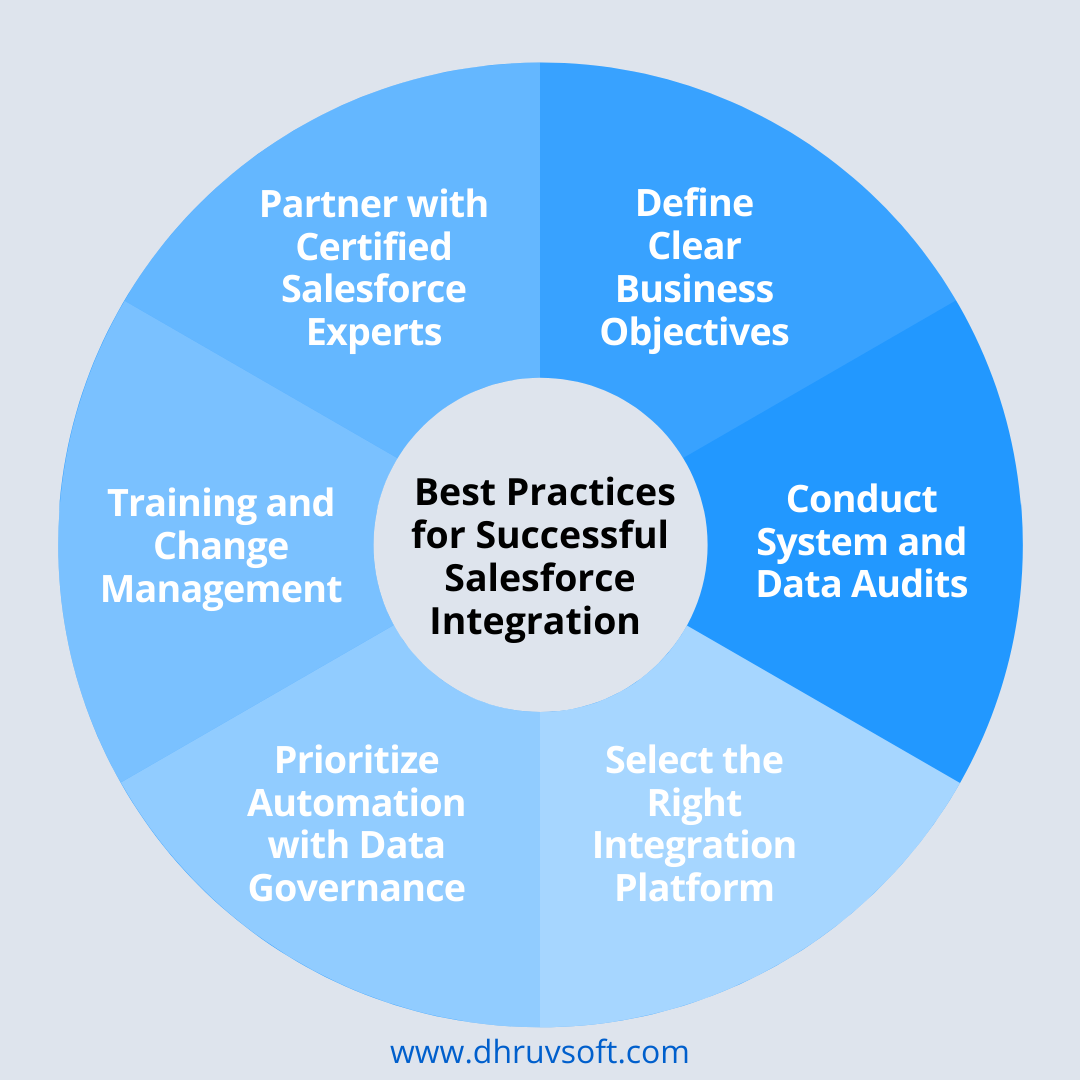
- Define Clear Business Objectives: Start by identifying measurable goals — whether improving sales cycle time, automating invoicing, or gaining better analytics.
- Conduct System and Data Audits: Evaluate the quality, structure, and sources of data before integration to avoid duplication and inconsistencies
- Select the Right Integration Platform: Match tools to your organization’s scale and technical complexity.
- MuleSoft for complex ecosystems.
- Celigo for fast, cloud-based integration.
- Prioritize Automation with Data Governance: Automate processes but maintain oversight with strict governance policies to protect data integrity.
- Training and Change Management: Prepare teams for new workflows with hands-on training and documentation.
- Partner with Certified Salesforce Experts: Collaborate with experienced integration partners who understand both the technical and business sides of Salesforce implementations.
Dhruvsoft’s Approach to Salesforce Integration (With Real-World Case Study)
a. Dhruvsoft’s Integration Expertise
Dhruvsoft has extensive experience delivering end-to-end Salesforce implementations across industries — including Sales Cloud, Service Cloud, CPQ, and ERP integrations with platforms like NetSuite
Their team specialises in both MuleSoft (for complex API-led enterprise integrations) and Celigo (for agile, cloud-based integrations), ensuring businesses get tailored solutions that align with their scale, goals, and technology stack.
Dhruvsoft focuses on achieving measurable business outcomes such as automation, scalability, and real-time visibility.
b. Case Study: Salesforce Sales, Marketing, CPQ & NetSuite Integration using Celigo
Client Overview: A leading life sciences compliance services provider approached Dhruvsoft to streamline its sales, marketing, and quoting operations through Salesforce while integrating with NetSuite ERP using Celigo.
Challenges:
- Disconnected marketing and sales data.
- Complex pricing models and quoting workflows.
- Manual data transfers between Salesforce and NetSuite.
- Lack of automation and poor scalability.
Dhruvsoft’s Solution:
- Deployed Salesforce Sales Cloud for lead and opportunity management.
- Implemented Salesforce CPQ for automated, accurate quote generation.
- Integrated Salesforce and NetSuite using Celigo, enabling real-time bidirectional data exchange.
- Added Salesforce B2B Marketing Cloud for campaign automation and analytics.
- Built custom dashboards for unified reporting across all departments.
Results:
- 60% faster quote-to-cash cycle.
- Improved data accuracy and elimination of manual entry.
- Better marketing ROI through targeted automation.
- Real-time operational visibility for decision-makers.
Impact: The client achieved full digital transformation, connecting sales, marketing, and finance departments — resulting in higher efficiency, faster decision-making, and improved customer satisfaction.
c. How Dhruvsoft Delivers Value
- Tailored integration strategies for businesses of all sizes.
- Complete project lifecycle management — from discovery and planning to post-go-live support.
- Expertise in multiple integration platforms ensures the right tool is used for the right need.
- Proven success stories, such as the above case study, demonstrate Dhruvsoft’s ability to turn integration challenges into growth opportunities.
Conclusion: Unifying Your Digital Ecosystem
Integrating Salesforce with ERP, marketing automation, and other enterprise systems is no longer a luxury — it’s a necessity for businesses aiming to stay competitive and data-driven.
When done right, integration unlocks efficiency, improves collaboration, and enhances customer experience across every stage of the business journey.
With its expertise in Salesforce, MuleSoft, and Celigo, Dhruvsoft helps organizations build connected ecosystems that scale with growth and innovation.
Ready to streamline your business with seamless Salesforce integrations?
Contact Dhruvsoft’s certified experts today to begin your digital transformation journey.
 About Ashok Kumar Alli


