Displaying Total Number of Contacts for each Account in Salesforce

If you want to display the “Total Number of Contacts” for each “Account” in Salesforce on the Account page you can not use the Roll Up Summary field. The Roll Up Summary fields on contact are not supported on Accounts. We have used a Trigger on the contact object to  find the sum of the number of contacts which are there in an Account. [Read more...]

Share

Salesforce.com Company Communities – Create an engaging employee experience

Salesforce.com Company Communities is the new offering announced by Salesforce.com on May 30 2013. the Salesforce.com Company Communities will be available in second half of 2013.

Salesforce.com Company Communities will help companies create a custom intranet that connects employees in real-time to the content, people and apps. The Salesforce.com Company Communities will be accessible from anywhere and from any device. The Company Communities from Salesforce will enable companies to create an great intranet experience for their employees. [Read more...]

Share

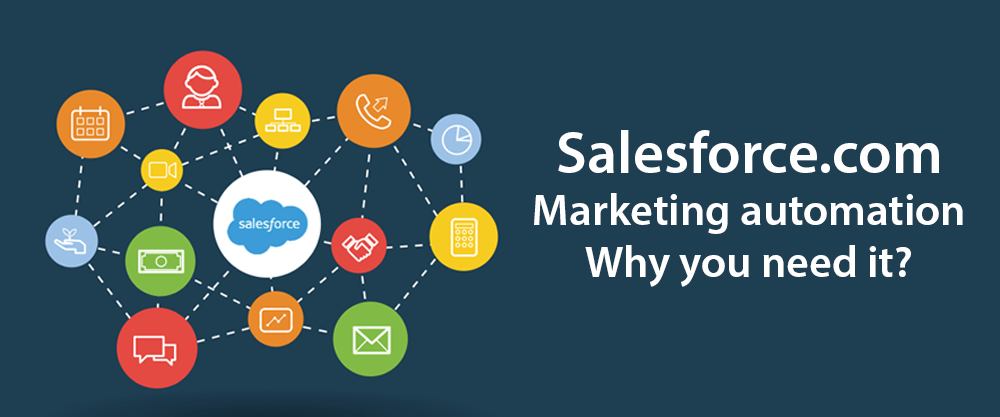
Salesforce.com Marketing automation – Why you need it?

Is your company thinking of evaluating Salesforce.com Marketing automation. Here are few reasons why you need it?

Many companies, especially small and mid size business, who have implemented Salesforce.com Sales Cloud often ignore the Salesforce.com Marketing automation. While the implementation focus of Sales Automation – Marketing automation is usually left unimplemented. Mainly because of less headcount – the marketing function is usually last to be included in the scope. [Read more...]

Share

Salesforce.com Professional Edition V/s Enterprise Edition

Many organizations want to compare and exactly the key difference between Salesforce.com Professional Edition V/s Enterprise Edition. If you are planning to go for Salesforce.com as your Enterprise CRM – you must consider reading this article for clarity on key benefits of Enterprise Edition over Professional Edition.

When buying the decision to select the edition usually falls in the hands of business or purchase staff of the organization – who invariably believe that the requirements of their organization are very simple. Many of the enterprise customers even believe that the requirement can be met even by Group Edition. However a little understanding of the Salesforce.com features may reveal otherwise.

Here are the key Features of Enterprise Edition which are not available in Professional Edition include:

[Read more...]

Share

Best Practices in achieving Salesforce.com CRM effectiveness

Your company has implemented Salesforce.com CRM. However are you getting the best our of it? While implementing your company must have defined the sales process and decided to automate it leveraging the world class CRM – Salesforce.com. Salesforce.com undoubtedly is world’s #1 CRM application in the cloud and it provides all the core CRM capabilities your organization needs to address day-to-day CRM requirements. However despite implementing Salesforce.com CRM if you feel the need of more effective CRM – your implementation needs immediate review and attention. In this article we are focusing on Sales processes. [Read more...]

Share

Apex and Visualforce syntax highlighting in Notepad++

If you prefer to write your Apex and Visualforce code outside Salesforce.com or Force.com IDE – you may find tough time in finding the right code editor. I have not come across any other code editor that supports programming languages Apex and Visualforce.

Considering the fast growth of programmers working on Apex and Visualforce I am sure very soon we will have code editor programs supporting the Apex and Visualforce. [Read more...]

Share

Use Formula Field IMAGE function to highlight process status in Salesforce.com

Often customers want to highlight the status of process and alert  users to take corrective action before it is too late. There is nothing better than a visual field that gives you the process health – Red, Yellow or Green. This can be especially used to highlight the leads that are not acted upon or the opportunities that are stuck.

Use Formula Field IMAGE function to Highlight Process Status

Use Formula Fields to Highlight Process Status

[Read more...]

Share

CRM Resolutions on New Year

CRM Resolutions for the New YearHere are our CRM Resolutions on New Year. Many of us make lot of resolutions – personal or for business. But how many businesses make the CRM resolutions? Customers are key to your business – and despite that they are one of the most ignored stakeholder when New year resolutions are made.

Here is our list of Customer Relationship Management or CRM Resolutions on this New Year. [Read more...]

Share

Salesforce.com Summer 12 New Features for End Users / Functional Enhancements

Salesforce.com Summer 12 New Features for End Users / Functional EnhancementsSalesforce.com Summer 12 has been released recently and there are some of the new features that are noticeable. In this post we will discussing about some of the new features that may be of interest to ‘End Users’.

General Enhancements

  • Chatter Messenger: Chatter Messenger allows people in your organization to chat securely with people in Chatter without using external chat clients.
  • Upload Multiple Files: In Summer ‘12, you can upload multiple files at the same time from the Files tab and Drag-and-Drop Files. [Read more...]
Share

New / Improved Radian6

Salesforce.com Radian6

Salesforce.com Radian6

Salesforce.com has announced the New / Improved Radian 6 today. Riding high on the Social CRM wave Salesforce.com, which has acquired Radian6 in 2011, has annouced major improvements in the product.

Radian6 is a social media monitoring platform which monitors what your customers and prospects are saying about your company on the Social Media. The new capabilities announced by Rob Begg, VP of Marketing for Salesforce Radian6 yesterday help companies effectively make sense of what people are talking. [Read more...]

Share